FERROTONE.

Free beta for macOS and Windows

A guitar rig that bends the amp itself.

FERROTONE runs Neural Amp Modeler captures, then lets you change the network inside them, move any setting with the way you play, and play a synth from your guitar. Plug a guitar into an audio interface, open it, and play.

Free, no account needed. For macOS 12 or later on Apple silicon or Intel, and Windows 10 or later, 64-bit.

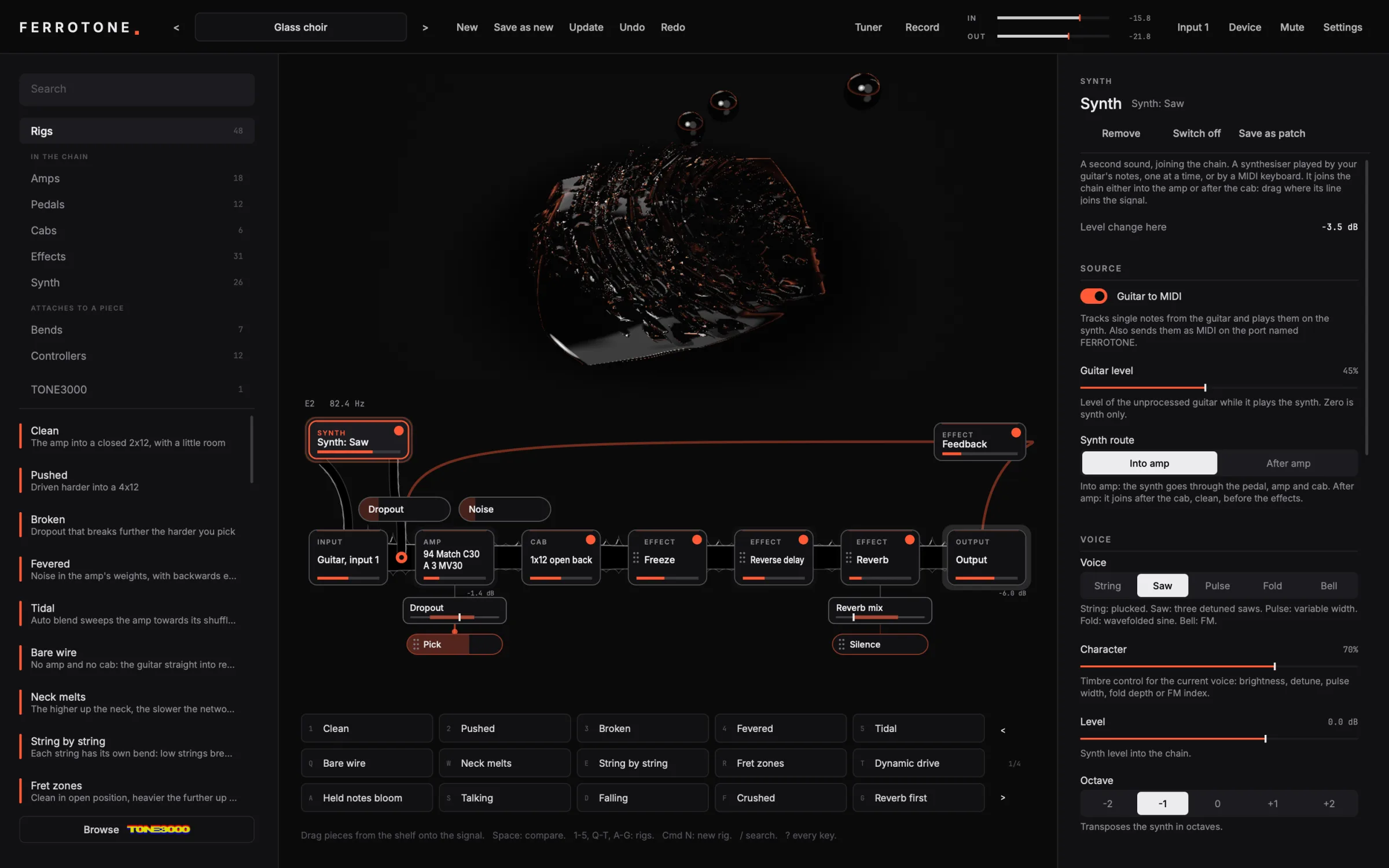
The FERROTONE window: the shelf of rigs and pieces on the left, the ferrofluid visualiser above the signal chain in the centre, and the selected piece's controls on the right.

What it does

Everything that shapes the sound is on the screen.

The signal runs left to right, from your guitar to the output. Its width is the level at each point. Every piece that changes the sound is drawn on it, and nothing changes the sound without being drawn.

Bend the network, not the audio

A capture is a small neural network. FERROTONE changes its weights while you play, so the amp itself behaves differently rather than being processed afterwards.

  • Dropout and noise in the weights
  • Inverted and swapped layers
  • Time stretch inside the network
  • Blend between two captures, at the weights
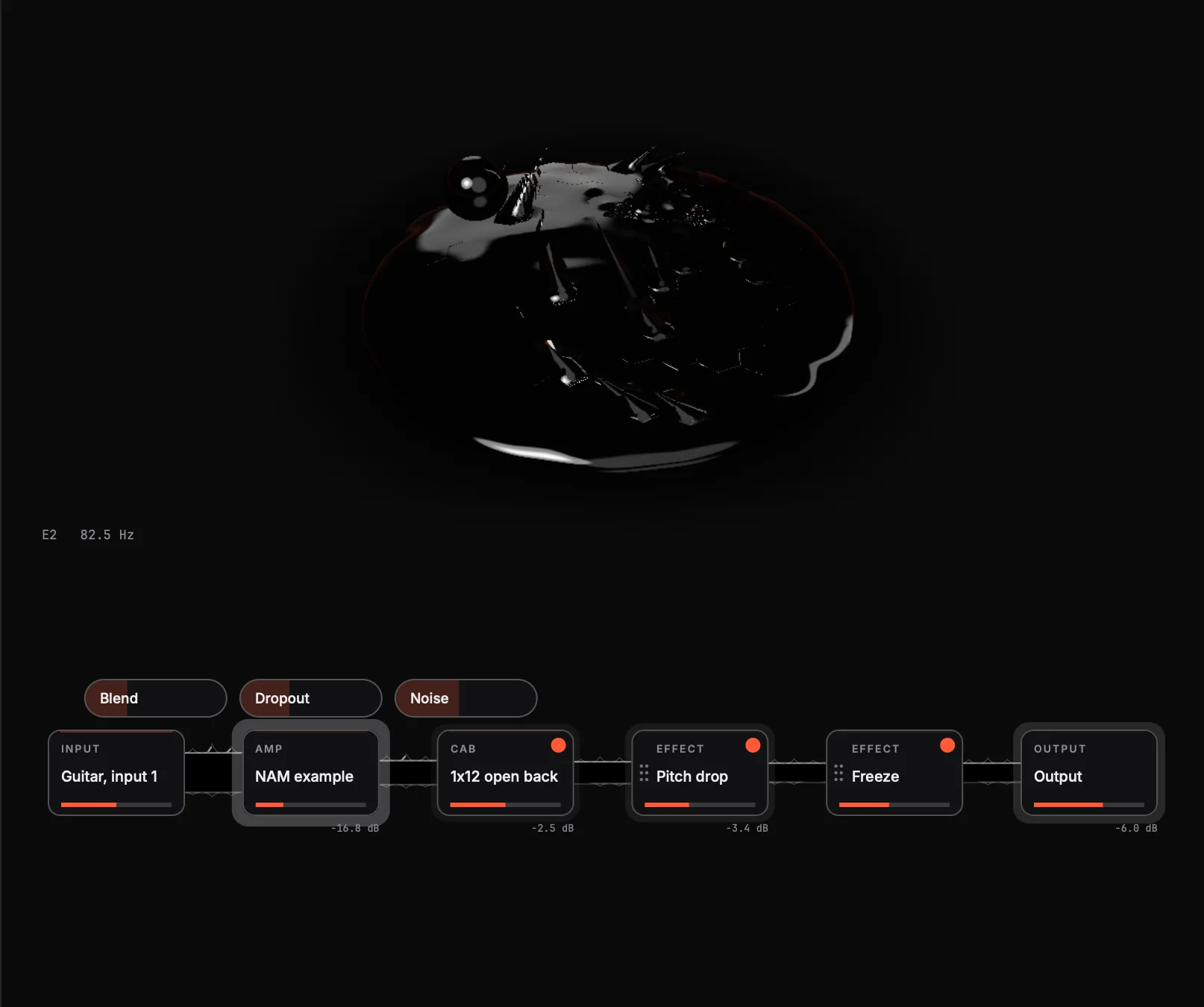
An amp with three bends attached to it, Blend, Dropout and Noise, shown above it on the signal.

Your playing moves the rig

Any setting can follow something in your playing, over a range you choose or learn from a few seconds of playing.

  • Pick attack, loudness, sustain and silence
  • Pitch, brightness, the string and the position on the neck
  • Velocity, mod wheel and pressure from a MIDI keyboard
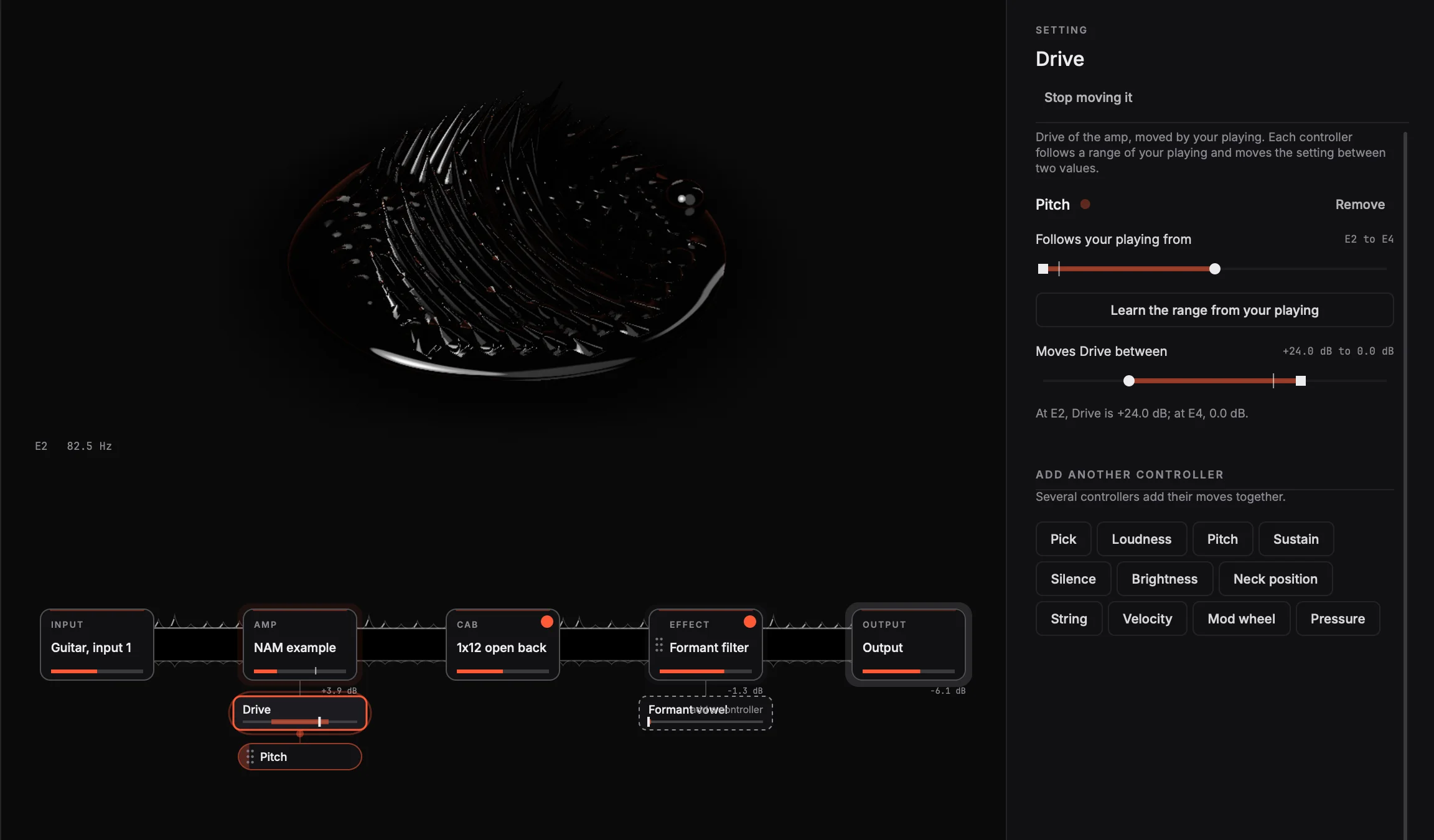
The Drive setting pulled out of the amp and moved by Pitch, with the range it follows shown on the right.

Play a synth from your guitar

Fast single-note tracking plays a synth that joins the chain before or after the amp. An arpeggiator builds chords on the note you hold, and the notes go out as MIDI to your music software.

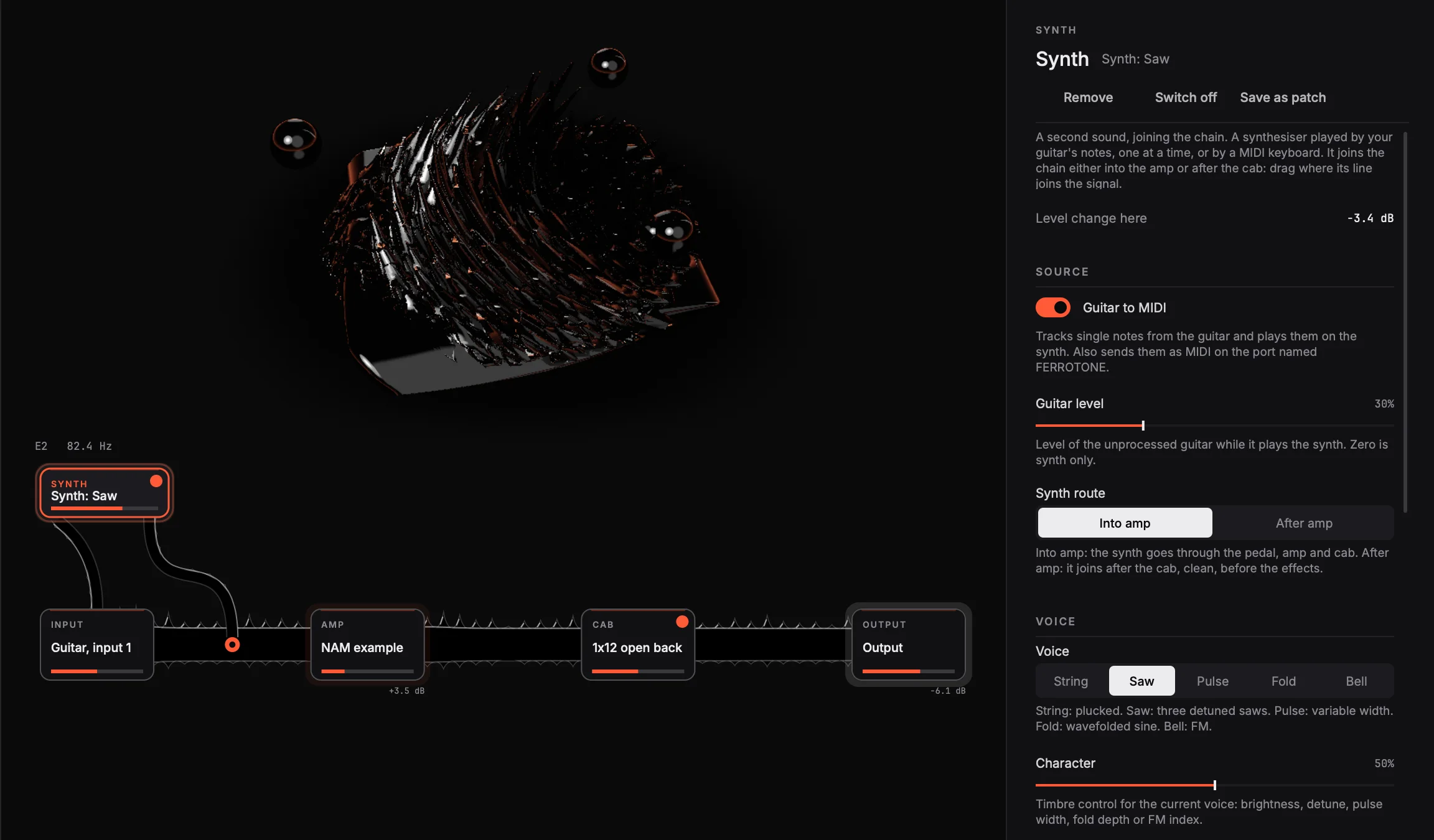
The synth joining the signal before the amp, with its voice, level and octave controls on the right.

Effects in any order

Pitch drop, formant filter, bitcrusher, freeze, reverse delay and reverb. Drag one sideways to move it. A feedback loop runs back into the amp, always through a limiter.

Any NAM capture

Load .nam captures and impulse responses from a folder, or sign in to TONE3000 and browse your downloads. Four cabinets are built in.

Quick to switch

Forty-six rigs to start from, a hotbar of fifteen on the keyboard, and every action has a key. Hold Space to hear the amp and cab alone.

Listen

One phrase, several rigs.

The same seven seconds through some of the rigs FERROTONE starts with, matched for loudness.

  1. The input
    The phrase on its own, before FERROTONE.
    0:07
  2. Clean
    The amp into a closed 2x12, with a little room.
    0:07
  3. Fevered
    Noise in the amp's weights, with backwards echoes.
    0:07
  4. Neck melts
    The higher up the neck, the slower the network runs.
    0:07
  5. Lesion lead
    A pulse lead with glide; picking breaks the amp under it.
    0:07
  6. Glass choir
    The guitar playing saws an octave down, through a bent amp.
    0:07
  7. Rising major
    Each note climbs a major chord over two octaves.
    0:07
  8. Frozen echoes
    The reverse delay feeds the freeze: a drone of backwards notes.
    0:07

These were rendered offline by FERROTONE from a synthetic plucked string, not a recording of a guitar, using only the sounds it ships with. A real guitar through a real capture will sound fuller.

Download

Free, while it is in beta.

The first beta is being played and tested on real guitars before anyone else downloads it. The downloads will be here when it is ready.

You need a guitar, an audio interface and headphones or speakers. Start with the volume low.

macOS

Needs
macOS 12 or later, Apple silicon or Intel
Coming soon
  1. Open the zip and drag FERROTONE into Applications.
  2. Open it. macOS says it cannot check it: this beta is not notarised by Apple. Click Done.
  3. Open System Settings, then Privacy and Security. Near the bottom, click Open Anyway beside FERROTONE.
  4. Allow the microphone when asked. That is how FERROTONE hears your interface.

Windows

Needs
Windows 10 or later, 64-bit
Coming soon
  1. Unzip the folder anywhere you like.
  2. Open FERROTONE.exe. Windows may say it protected your PC: this beta is not signed with a paid certificate.
  3. Choose More info, then Run anyway. It asks only the first time.
  4. Choose your interface under Device. Windows Audio (Low Latency Mode) suits most.

New to it? The guide covers setting up, captures, rigs, links and every key.